
Ever Gauzy
Ever Gauzy - Business Management Platform (ERP/CRM/HRM/ATS/PM)
#Ever Gauzy Platform



#💡 What's New
- 🔥🔥🔥 we just released Ever Works - An open agentic runtime that autonomously researches, ships, and maintains entire businesses, 24/7. Please grab it now from https://github.com/ever-works/ever-works and make it ⭐⭐⭐ on GitHub!
- if you like Gauzy, you should also like Ever Teams - Open Work & Productivity Platform. Please check https://github.com/ever-co/ever-teams and make it ⭐ on GitHub! It's built with a React (NextJs) / ReactNative (Expo) stack and connects to headless Ever Gauzy Platform APIs.
#🌟 What is it
Ever® Gauzy™ - Open Business Management Platform for Collaborative, On-Demand and Sharing Economies.
- Enterprise Resource Planning (ERP)
- Customer Relationship Management (CRM)
- Human Resource Management (HRM)
- Applicant Tracking System (ATS)
- Work and Project Management (PM)
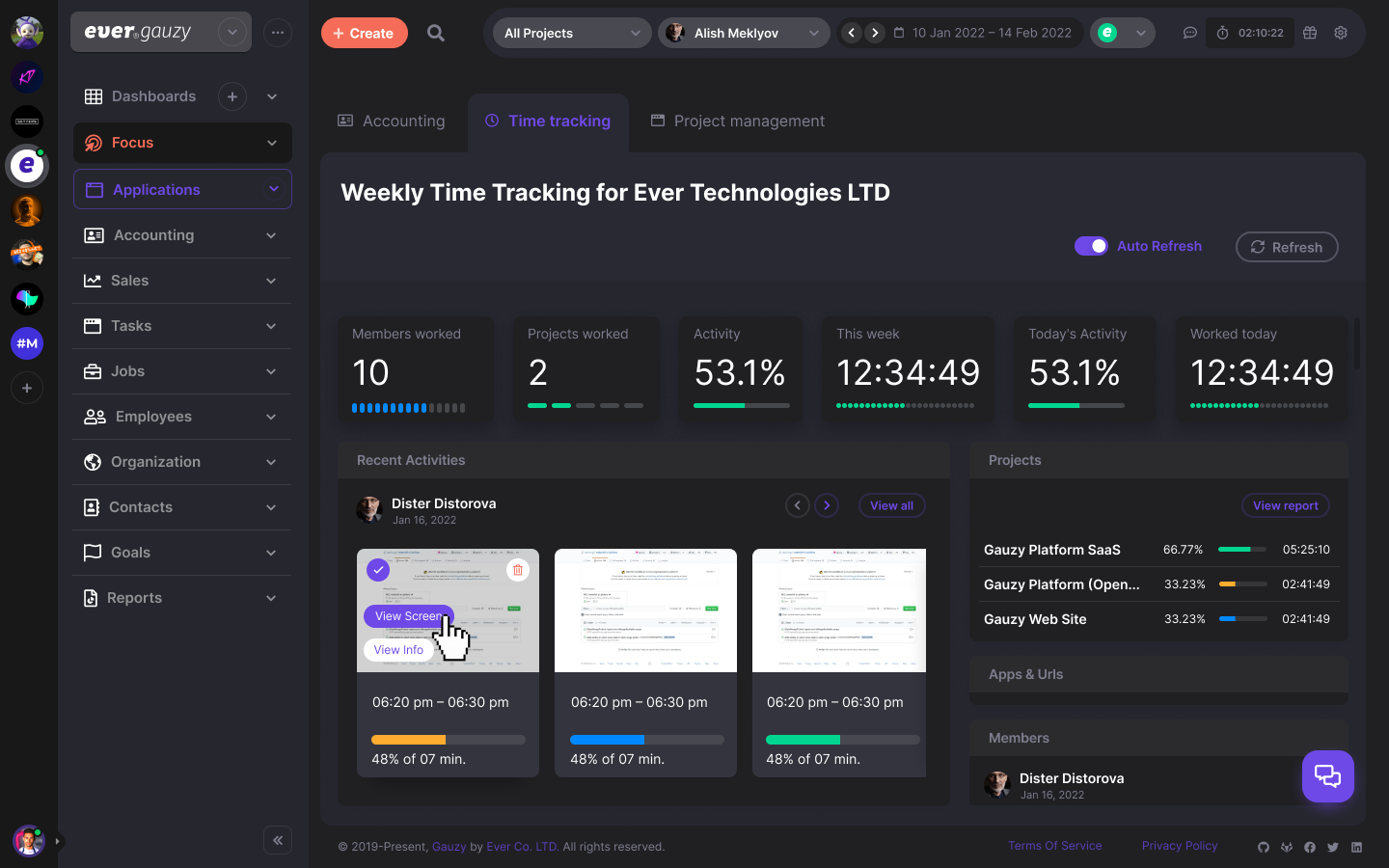
- Employee Time-Tracking, Activity & Productivity Tracking
Ever® Gauzy™ Platform is a part of our larger Open Platform for Collaborative, On-Demand and Sharing Economies - Ever® Platform™.
#✨ Features
Main features:
- Human Resources Management (HRM) with Time Management / Tracking and Employees Performance Monitoring
- Customer Relationship Management (CRM)
- Enterprise Resource Planning (ERP)
- Projects / Tasks Management
- Sales Management
- Financial and Cost Management (including Accounting, Invoicing, etc)
- Inventory, Supply Chain Management, and Production Management
A more detailed list of the features available in the platform:
- Headless APIs
- Dashboard (provides an overview of different metrics, such as company income/expenses, employee bonuses, etc.)
- Time Management / Time Tracking / Activity Tracking / Timesheets
- Employees Management (register of company employees/contractors, rates of employees, etc.)
- Employee Onboarding
- Applicant Tracking System (ATS) / Candidates Interviews
- Contacts Management (Clients / Customers / Leads / etc.)
- Schedules / Appointments / Events
- Project Management / Tasks
- Goals / KPI / Objectives / Key Results
- Sales Pipelines
- Proposals
- Accounting / Invoicing / Estimates
- Billing
- Payments
- Income / Expenses Management
- Time Off Management / Holidays / Approvals
- Inventory
- Equipment / Sharing
- Multiple Organizations Management
- Organization Departments and Teams
- Organization Clients and Vendors
- Help Center / Knowledge Base
- Tags / Labels
- Reports / Insights / Analytics
- Organization and Employee Public Pages
- Integrations (Upwork, HubStaff, etc.)
- Email History / Email Templates
- Data Import / Export
- Roles / Permissions
- Multi-currency
- Multi-lingual
- Dark / Light / Corporate / Material and other Themes
Read more about Gauzy and how to use it at your company, on-demand business, freelance business, agency, studio or in-house teams.
#🌼 Screenshots
#🔗 Links
- https://gauzy.co - check more information about the platform at the official website.
- https://app.gauzy.co - SaaS (Important: it's currently in Alpha version/testing mode, please use it cautiously).
- https://demo.gauzy.co - Online Demo (see more info below).
- https://gauzy.co/downloads - Download Platform & Apps (see also more info below about available downloads).
- https://docs.gauzy.co - Platform Documentation (WIP). See also our Wiki.
- https://ever.co - get more information about our company products.
#💻 Demo, Downloads, Testing and Production
#Demo
Ever Gauzy Platform Demo at https://demo.gauzy.co.
Notes:
- Default super-admin user login is
admin@ever.coand the password isadmin. These are DEMO / local-development credentials only: a production install must setDEMO_SUPER_ADMIN_PASSWORD,DEMO_ADMIN_PASSWORDandDEMO_EMPLOYEE_PASSWORDbefore its first boot, and the API refuses to seed without them. - Content of demo DB resets on each deployment to the demo environment (usually daily)
- Demo environment deployed using CI/CD from the
developbranch
#Downloads
You can download Gauzy Platform, Gauzy Server, or Desktop Apps (Windows/Mac/Linux) from the official Downloads page.
In addition, all releases and pre-releases downloads are also available from the following pages:
#Production (SaaS)
Ever® Gauzy™ Platform SaaS is available at https://app.gauzy.co.
Note: it's currently in Alpha version/testing mode, please use it cautiously!
#Staging
- Gauzy Platform Staging builds (using CI/CD, from the
stagebranch) are available at https://stage.gauzy.co - We are using the Staging environment to test releases before they are deployed to the production environment
- Our pre-releases of desktop/server apps are built from this environment and can be configured manually (in settings) to connect to Stage API: https://apistage.gauzy.co
#Server & Desktop Apps
We have Gauzy Server and two Desktop Apps (for Windows/Mac/Linux):
-
Ever® Gauzy™ Server - includes Gauzy API, SQLite DB (or connects to external PostgreSQL) and serves Guazy frontend. It allows to quickly run Gauzy Server for multiple clients (browser-based or Desktop-based). It's a recommended option if you want to setup the Ever Gauzy Platform in small to medium organizations.
-
Ever® Gauzy™ Desktop App - includes Gauzy frontend (UI), Gauzy API, SQLite DB, etc., all-in-one! It allows to quickly run the whole Gauzy solution locally, both UI and Timer (for time tracking, optionally of course). In addition, it allows you to connect to the external database (e.g. PostgreSQL) or external API (if you have Gauzy Server with API / DB installed on a different computer or if you want to connect to our live API). It's a recommended option if you want to try Gauzy quickly / for personal use or if you want to connect to Gauzy Server in the "client-server" configuration (and use Desktop App instead of web browser).
-
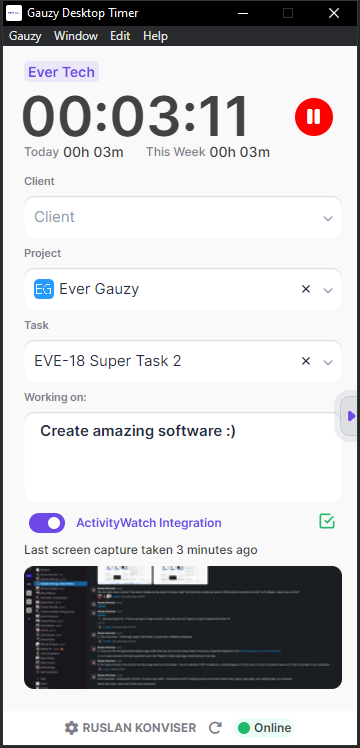
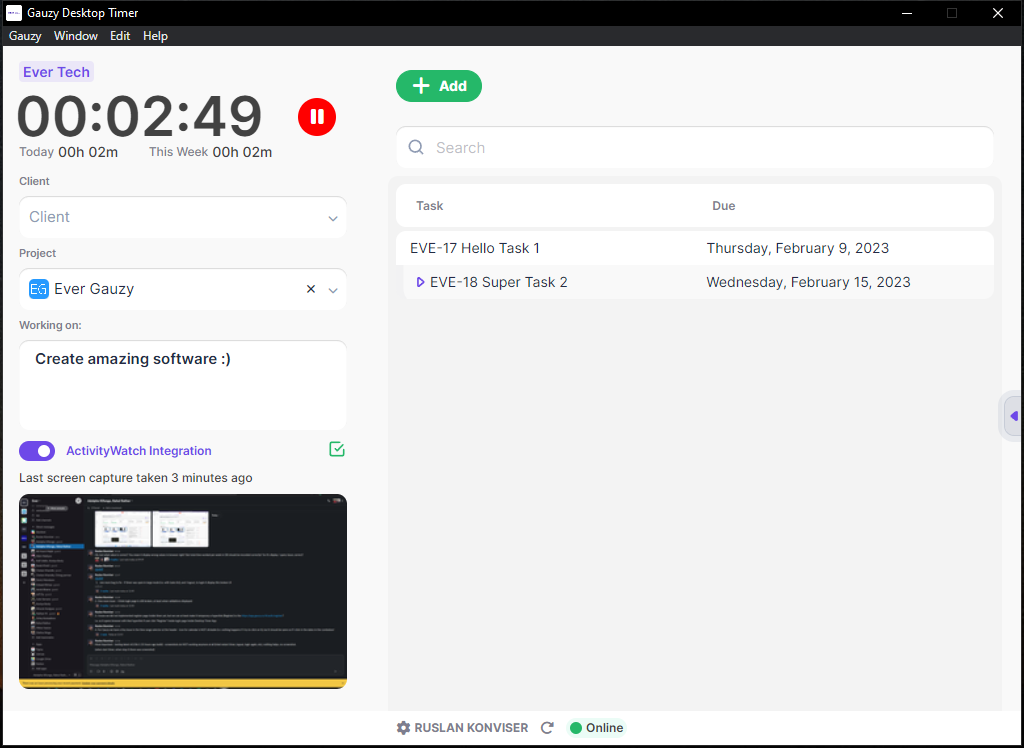
Ever® Gauzy™ Desktop Timer App - allows running Time and Activity Tracking for employees/contractors with screenshots and activity monitoring. It is recommended to setup by organization employees as long as they are not interested in other Gauzy Platform features (e.g. accounting) and only need to track work time.
More information about our Server & Desktop Apps:
- Download for your OS from the official Downloads page or see the section "Download" above for other links to our releases pages.
- Setup Gauzy Server with default choices in Setup Wizard and run it.
- You can also setup Gauzy Desktop App (can run independently or connect to Gauzy Server) or Gauzy Desktop Timer App (should be connected to Gauzy Server)
- You can login with
admin@ever.coand passwordadminto check Admin functionality if you installed Gauzy Server or Gauzy Desktop App. Note: such an Admin user is not an employee, so you will not be able to track time. - You can login with
employee@ever.coand password12345678to check Employee-related functionality in Gauzy UI or to run Desktop Timer from an "Employee" perspective (such a user is an Employee and can track time). - If you install Gauzy Server, it is possible to connect to it using a browser (by default on http://localhost:4200) or using Gauzy Desktop Apps (make sure to configure Desktop apps to connect to Gauzy API on http://127.0.0.1:3000/api because it's where Gauzy Server API runs by default).
- You can read more information about our Desktop Apps on the Desktop Apps Wiki Page and our Server at the Server Wiki Page.
#🧱 Technology Stack and Requirements
For Production, we recommend:
Note: thanks to TypeORM / MikroORM, Gauzy will support lots of DBs: SQLite (default, for demos), PostgreSQL (development/production), MySql (development/production), MariaDb, CockroachDb, MS SQL, Oracle, MongoDb, and others (with minimal changes).
#See also README.md and CREDITS.md files in relevant folders for lists of libraries and software included in the Platform, information about licenses, and other details
#📄 Documentation
Please refer to our official Platform Documentation and our Wiki (WIP).
#🚀 Quick Start
#Super Quick Start
Note: it's currently in Alpha version/testing mode, please use it cautiously!
#Run with Docker Compose
- Clone repo.
- Make sure you have the latest Docker Compose installed locally. Important: you need a minimum v2.20.
#Demo
- Run
docker-compose -f docker-compose.demo.yml up, if you want to run the platform in basic configuration (e.g. for Demo / explore functionality / quick run) using our prebuilt Docker images. Check.env.demo.composefile for different settings (optionally), e.g. DB type. (Note: Docker Compose will use latest images pre-build automatically from head ofmasterbranch using GitHub CI/CD.) - Open http://localhost:4200 in your browser.
- Login with email
admin@ever.coand password:adminfor Super Admin user. - Login with email
employee@ever.coand password:12345678for Employee user. - Enjoy!
Note: those credentials exist only because this stack runs with DEMO=true. They are NOT available in a production deployment — see below.
#Production
- Edit
.env.compose: you must setJWT_SECRET,JWT_REFRESH_TOKEN_SECRET,JWT_VERIFICATION_TOKEN_SECRETandEXPRESS_SESSION_SECRETto strong, unique values (e.g.openssl rand -hex 64). The API refuses to start on the shipped blank/default secrets — shared defaults let anyone forge authentication tokens and sessions. Adjust any other settings (e.g. DB type) there too. - You must also set
DEMO_SUPER_ADMIN_PASSWORD,DEMO_ADMIN_PASSWORDandDEMO_EMPLOYEE_PASSWORD(and optionally the matching*_EMAILvariables). The first boot against an empty database seeds a Super Admin, an Admin and an Employee from those variables, and their shipped defaults are documented right here in this README — so the API refuses to seed while they are unset or left at the defaults. - Set
TRUST_PROXYto the number of proxy hops in front of the API (1behind a single nginx/ingress) or to your trusted proxy CIDRs, so the login rate limiter counts against the real client address. SetTHROTTLE_TRUST_CF_CONNECTING_IP=trueonly if every request reaches the API through Cloudflare. - Set
REDIS_ENABLED=true(withREDIS_URL, orREDIS_HOST/REDIS_PORT) when you run more than one API replica: rate-limit buckets are otherwise per-process, so the effective limit is multiplied by the replica count. - Failed sign-ins are also counted per account: once
AUTH_MAX_FAILED_ATTEMPTS(default 10) consecutive failures for one account have come from at least two different client addresses, that account answers HTTP 429 (withRetry-After) forAUTH_LOCKOUT_SECONDS(default 900). Failures from a single address never block an account. Because anyone who knows an email address can submit wrong passwords for it, an attacker with several addresses can still block that account for a while; setAUTH_MAX_FAILED_ATTEMPTS=0to switch the per-account control off and rely on the per-address rate limit alone. - Run
docker-compose up -d, if you want to run the platform in minimal production configuration using our prebuilt Docker images. (Note: Docker Compose will use latest images pre-build automatically from head ofmasterbranch using GitHub CI/CD.)
Note: we recommend using Kubernetes for production workloads instead of Docker Compose!
#Build
- Edit
.env.compose(if needed) to use your custom settings, e.g. DB type. - Run
docker-compose -f docker-compose.build.yml up -d, if you want to build everything (code and Docker images) locally. (Note: this is extremely long process because it builds whole platform locally. Other options above are much faster!) - :coffee: time... It might take some time for our API to seed fake data in the DB during the first Docker Compose run, even if you used prebuilt Docker images.
Notes:
- while demo
docker-compose.demo.ymlruns a minimum amount of containers (API, Web UI, and DB), other Docker Compose files run multiple infrastructure dependencies (see full list below). - you can also run ONLY infra dependencies (without our API / Web containers) with
docker-compose -f docker-compose.infra.yml up -dcommand. We already doing it usingincludein our main docker compose files. - you can add something like
--env-file .env.somethingto the docker-composeupcommand to instruct Docker Compose to use a specific.env.somethingfile with your custom settings
Together with Gauzy, the Docker Compose commands described above for Production (docker-compose.yml) and Build (docker-compose.build.yml) will run the following infrastructure components:
- PostgreSQL - Primary Database.
- Pgweb - Cross-platform client for PostgreSQL DBs, available on http://localhost:8081.
- OpenSearch - Search Engine.
- OpenSearch Dashboards - Search Engine Dashboards, available on http://localhost:5601. Default username:
adminand password:Gauzy_password_123 - Dejavu - Web UI for OpenSearch, available on http://localhost:1358.
- MinIO - Multi-Cloud ☁️ Object Storage (AWS S3 compatible).
- Jitsu - Jitsu is an open-source Segment alternative (data ingestion engine).
- Redis - In-memory data store/caching (also used by Jitsu)
- Cube - "Semantic Layer" used for Reports, Dashboards, Analytics, and other BI-related features, with UI available on http://localhost:4000.
- Zipkin - distributed tracing system.
#Quick Start to manually build & run
#Required
- Install NodeJs LTS version or later (e.g. version 22.x or 24.x).
- Install Yarn v1.22.x (if you don't have it) with
npm i -g yarn. - Install NPM packages and Bootstrap solution using the command
yarn bootstrap. - If you will need to make code changes (and push to Git repo), please run
yarn prepare:husky. - Adjust settings in the
.env.localwhich is used in local runs. - Alternatively, you can copy
.env.sampleto.envand change default settings there, e.g. database type, name, user, password, etc. - Run both API and UI with a single command:
yarn start. - Open Gauzy UI on http://localhost:4200 in your browser (API runs on http://localhost:3000/api).
- Login with email
admin@ever.coand password:adminfor Super Admin user. - Login with email
employee@ever.coand password:12345678for Employee user. - Enjoy!
Notes:
- during the first API start, DB will be automatically seeded with a minimum set of initial data if no users are found.
- you can run seed any moment manually (e.g. if you changed entities schemas) with the
yarn seedcommand to re-initialize DB (warning: unsafe for production!). The same default-credential check applies: withNODE_ENV=productionandDEMO != truethe seed refuses to run unlessDEMO_SUPER_ADMIN_PASSWORD/DEMO_ADMIN_PASSWORD/DEMO_EMPLOYEE_PASSWORDare set to non-default values. - it is possible to run generation of extremely large amounts of fake data for demo purposes/testing with
yarn seed:all(warning: takes ~10 min to complete)
#Optional / Recommended for Production
- Optionally (recommended for production) install and run PostgreSQL version 14 or later (16.x recommended for production). Note: other DB can be configured manually in TypeORM / MikroORM / Knex. The default DB is set to SQLite (recommended for testing/demo purposes only).
- Optionally (recommended for production) install and run Redis. Notes: the platform will work without Redis using an in-memory caching strategy instead of a distributed one (recommended for testing/demo purposes only). Please note however that Redis is required for Jitsu.
- Optionally (recommended for production) install and run OpenSearch. Note: the platform will work without OpenSearch using DB build-in search capabilities (recommended for testing/demo purposes only).
- Optionally install and run MinIO or LocalStack. Note: the platform will work without MinIO / LocalStack or other S3-compatible storage using local filesystem-based storage (recommended for testing/demo purposes only). For production, we recommend using Wasabi or AWS S3 storage or another S3-compatible cloud storage.
- Optionally (recommended for production) install and run Jitsu. Note: the platform will work without Jitsu, however, data ingestion will be disabled for additional analyses / real-time pipelines.
- Optionally (recommended for production) install and run Cube. Note: the platform will work without Cube, however some advanced (dynamic) reporting and data processing capabilities will be disabled.
#🏭 Production
#General information
- See Setup Gauzy for Client Server for more information about production setup on your servers.
#Kubernetes
-
We recommend deploying to Kubernetes (k8s), either manually (see below) or with our Terraform Modules or Ever Helm Charts.
-
For more simple deployment scenarios with k8s, please see Kubernetes configurations, which we are using to deploy Gauzy into DigitalOcean k8s cluster.
#DigitalOcean App Platform
- For the most simple deployment scenarios (e.g. for yourself or your small organization), check our DigitalOcean App Platform configurations and corresponding GitHub Action.
#Virtual Instances / Droplets (via SSH)
- Another variant to deploy Gauzy is to use DigitalOcean Droplets or any other virtual instance (with Ubuntu OS) and deploy using SCP/SSH, for example, following GitHub Action
#Pulumi
- In addition, check Gauzy Pulumi project (WIP), it makes complex Clouds deployments possible with a single command (
pulumi up). Note: it currently supports AWS EKS (Kubernetes) for development and production with Application Load Balancers and AWS RDS Serverless PostgreSQL DB deployments. We also implemented deployments to ECS EC2 and Fargate Clusters in the same Pulumi project.
#🚗 Other self-hosting options
#Deploy on Hostinger

#Deploy on RepoCloud
Deploy Ever Gauzy instantly with one click on RepoCloud.
#Deploy on Easypanel
Easypanel is a self-hosted Docker deployment platform, and Ever Gauzy has a one-click deployment template there:

#💌 Contact Us
- Ever.co Website Contact Us page
- Slack Community
- Discord Chat


- For business inquiries: mailto:gauzy@ever.co
- Please report security vulnerabilities to mailto:security@ever.co
- Gauzy Platform @ Twitter
- Gauzy Platform @ Facebook
#🔐 Security
Ever® Gauzy™ follows good security practices, but 100% security cannot be guaranteed in any software! Ever® Gauzy™ is provided AS IS without any warranty. Use at your own risk! See more details in the LICENSES.md.
In a production setup, all client-side to server-side (backend, APIs) communications should be encrypted using HTTPS/WSS/SSL (REST APIs, GraphQL endpoint, Socket.io WebSockets, etc.).
If you discover any issue regarding security, please disclose the information responsibly by sending an email to mailto:security@ever.co or on huntr and not by creating a GitHub issue.
#🛡️ License
We support the open-source community. If you're building awesome non-profit/open-source projects, we're happy to help and will provide (subject to acceptance criteria) Ever Gauzy Enterprise edition license and free hosting option! Feel free to contact us at mailto:ever@ever.co to make a request. More details are explained in our Wiki.
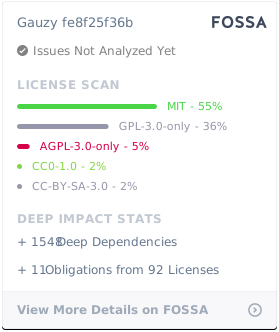
This software is available under the following licenses:
- Ever® Gauzy™ Platform Community Edition
- Ever® Gauzy™ Platform Small Business
- Ever® Gauzy™ Platform Enterprise
#The default Ever® Gauzy™ Platform license, without a valid Ever® Gauzy™ Platform Enterprise or Ever® Gauzy™ Platform Small Business License agreement, is the Ever® Gauzy™ Platform Community Edition License
#Please see LICENSES.md for more information on licenses. You can also compare our offering
#™️ Trademarks
Ever® is a registered trademark of Ever Co. LTD. Ever® Demand™, Ever® Gauzy™, Ever® Teams™, Ever® Rec™, Ever® Recu™, Ever® Cloc™, Ever® Works™ and Ever® OpenSaaS™ are all trademarks of Ever Co. LTD.
The trademarks may only be used with the written permission of Ever Co. LTD. and may not be used to promote or otherwise market competitive products or services.
All other brand and product names are trademarks, registered trademarks, or service marks of their respective holders.
#🍺 Contribute
- Please give us :star: on Github, it helps!
- You are more than welcome to submit feature requests in the separate repo
- Pull requests are always welcome! Please base pull requests against the develop branch and follow the contributing guide.
#💪 Thanks to our Contributors
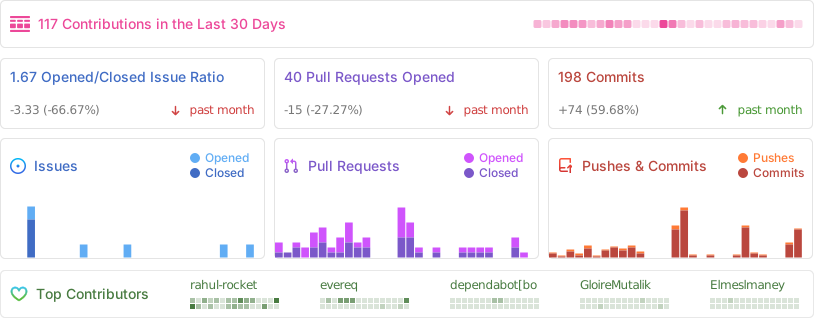
See our contributors list in CONTRIBUTORS.md. You can also view a full list of our contributors tracked by Github.
#📊 Activity
#⭐ Star History
#💪 Powered By

#❤️ Featured On

#©️ Copyright
#Copyright © 2019-present, Ever Co. LTD. All rights reserved







#🔥 P.S
- If you are interested in running an on-demand (delivery) or digital marketplace business, check open-source Ever Demand Platform
- We are Hiring: remote TypeScript / NestJS / Angular developers