
← Retour aux projets

Workflow Engine
#Workflow Engine
A headless workflow automation engine for Laravel. Define a trigger and a graph of nodes, store the definition as data, and run it synchronously, asynchronously, or from the command line — no bundled UI required.
Workflow::run(
    workflowId: 'send-welcome-email',
    payload: ['email' => 'ada@example.com']
);
View live docs: Workflow Engine Documentation
#Features
- Trigger-driven execution — Manual, Webhook, Schedule (cron), and Eloquent Model event triggers included.
- A large built-in node library — logic (condition, switch, loop), variables, HTTP, files, Eloquent model CRUD, math, text, date/time, and collection operations.
- An expression language —
{{ trigger.email }},{{ nodes.query.result.first().name }}, with a rich set of chainable helper methods. - Suspend and resume — nodes like Wait and Call Workflow can pause an execution and resume it later without re-running earlier steps.
- Versioned workflows — edit a draft, publish it as an immutable version, and roll back by republishing an earlier one. Only published versions run.
- Export and import —
workflow:exportandworkflow:importmove versions and drafts between environments as JSON, with sensitive values redacted. - An interactive builder —
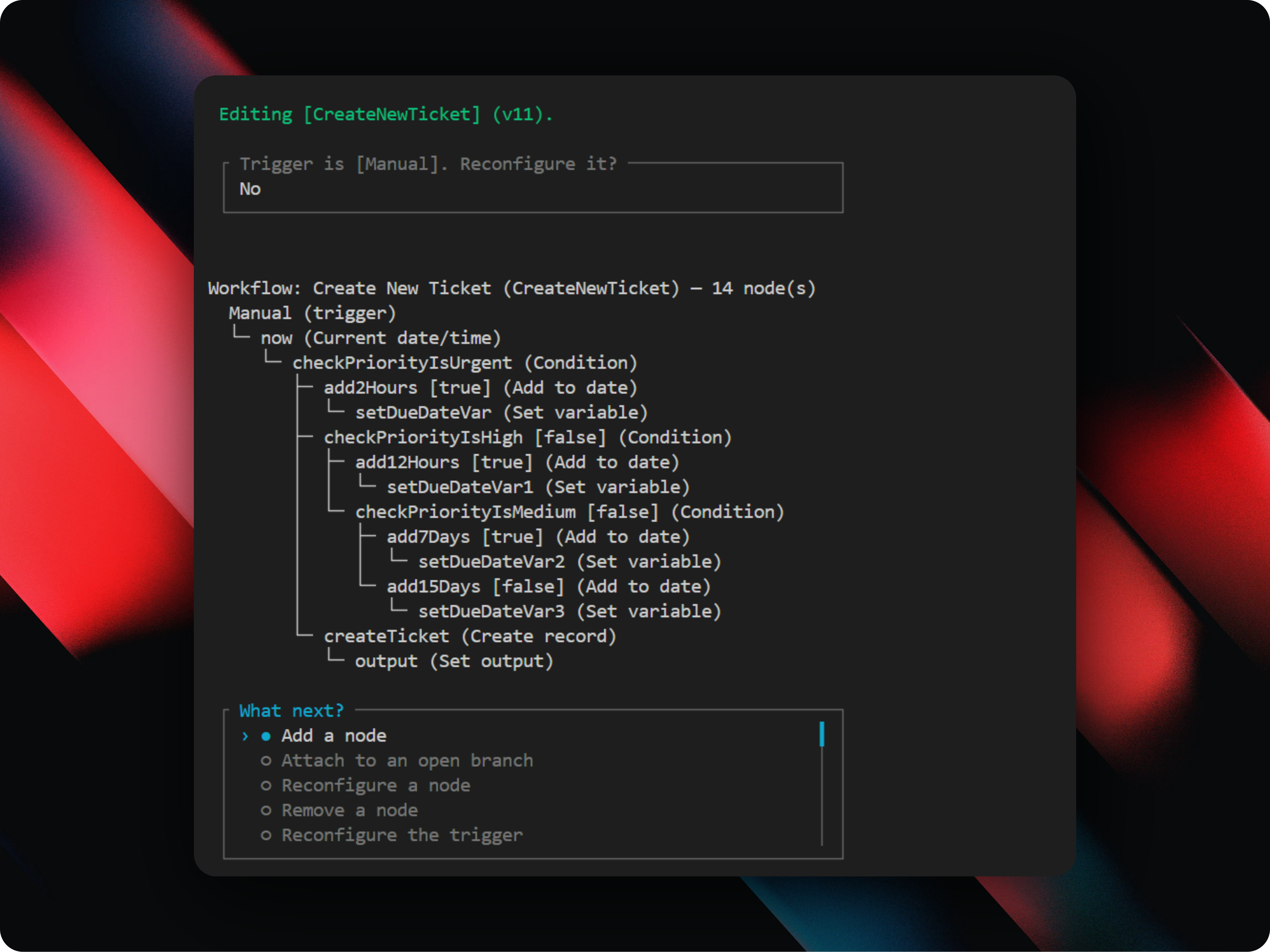
php artisan workflow:buildwalks you through constructing a workflow from the terminal, including a full interactive JSON builder. - A fluent schema API for custom nodes — declare a node's config form with
Schema::text(),Schema::select(),Schema::group(), and more, including fields that resolve dynamically based on earlier answers. - First-class testing support —
Workflow::fake()plus a full set of assertions.
#Installation
composer require qanna-rsa/workflow-engine
php artisan vendor:publish --tag=workflowengine::config
php artisan vendor:publish --tag=workflowengine::migrations
php artisan migrate
See the live documentation for the full guide.
#Quick Start
use Qanna\WorkflowEngine\Engine\Nodes\Action\LogNode;
use Qanna\WorkflowEngine\Engine\Triggers\ManualTrigger;
use Qanna\WorkflowEngine\Models\Workflow;

$workflow = Workflow::create([
    'id' => 'send-welcome-email',
    'name' => 'Send Welcome Email',
    'trigger' => ['type' => ManualTrigger::type(), 'config' => []],
    'nodes' => [[
        'id' => 'log',
        'type' => LogNode::type(),
        'config' => ['level' => 'info', 'message' => 'Welcome {{trigger.email}}'],
    ]],
    'edges' => [['from' => 'trigger', 'to' => 'log', 'branch' => 'main']],
]);

$workflow->publish('First release');
use Qanna\WorkflowEngine\Facades\Workflow;

Workflow::run('send-welcome-email', ['email' => 'ada@example.com']);
Or skip the code and build it interactively:
php artisan workflow:build
php artisan workflow:publish send-welcome-email
See the live documentation for a walkthrough of both paths.
#Documentation
Full documentation — installation, configuration, concepts, the built-in node reference, triggers, the interactive builder, testing, and extension points — lives at:
qanna-rsa.github.io/docs/workflow-engine
#License
Released under the MIT License.